
TurboTenant for Renters
TurboTenantHouse & Home
4.7400.00 Reviews
- Version
- 5.0.8
- Installs
- 100.00K
- Age Rating
- Everyone
Screenshots
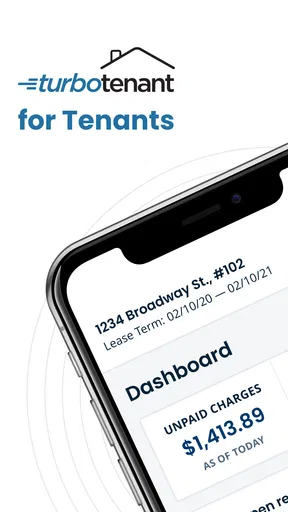
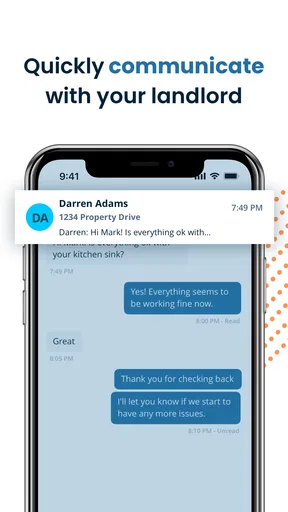
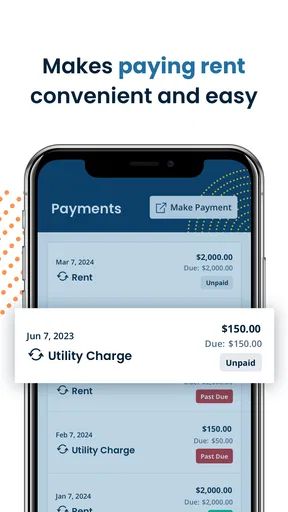
Our Review of TurboTenant for Renters
 Analysis by Appyee
Finding and managing a rental from a phone can be surprisingly fragmented. One tool may help you discover a property, another may handle messages, and your email ends up holding the rest. TurboTenant for Renters takes a more focused approach: it is a free House & Home app from TurboTenant designed around the renter’s side of the process. After spending time with it, I see the appeal clearly. It is most useful when you want rental-related tasks in one place and prefer checking them while moving through your day rather than sitting at a computer.
TurboTenant is not trying to be a general home-management suite. Its purpose is narrower and more practical: help renters stay connected to their rental search and related interactions on the go. That focus makes it easier to understand, but it also means the app is not automatically the best replacement for every property website, messaging service, or document workflow. My experience is that it works best when treated as a central renter workspace, not as a universal solution for every part of renting.
How the everyday renter workflow feels
The natural starting point is the rental search. Instead of waiting until you are back at a laptop, you can use the phone as the place where you browse, revisit possibilities, and keep track of the next action. That matters when you are commuting, comparing neighborhoods, or trying to respond before a promising property becomes unavailable. The mobile format also encourages shorter sessions: open the app, check what has changed, review a property, and move on.
I found that the best baseline workflow is deliberately simple. First, use the app to explore available rental opportunities. Next, slow down before contacting anyone and check the property information carefully. Then keep your follow-up organized inside the same renter-focused environment where possible. Finally, return to the app at predictable points during the day instead of repeatedly checking it without a plan. This habit reduces the chance of overlooking a response while avoiding constant notification anxiety.
That last point is more important than it sounds. Rental searches often become messy because people contact several properties and then rely on memory. A phone app cannot make a decision for you, but it can give your process a consistent home. I recommend recording your own quick notes outside the app when comparing several options, especially details such as preferred move-in timing, questions asked, and what still needs confirmation. The app is useful for the rental interaction itself; your personal comparison system should remain separate and easy to scan.
A realistic example would be someone searching during a lunch break. They notice a property that fits their location and budget, review the available information, and begin the next step before returning to work. Later, they can revisit the interaction from the phone rather than trying to remember which browser tab or email thread contained it. That is where the on-the-go design earns its place. It does not eliminate the need for careful checking, but it makes the process less tied to a desk.
New renters may appreciate the guided feeling more than experienced renters do. If you have rented several times, you may already have a preferred combination of listing sites, email folders, spreadsheets, and calendar reminders. In that case, TurboTenant for Renters is worth adding when it connects you to the relevant rental activity more conveniently, not simply because another app exists. I would not abandon a reliable system until I knew the app fit the way I already compare and follow up.
What I would check before taking action
Mobile convenience can create a subtle risk: screens are smaller, and it is easy to skim. I would never treat a quick glance at a listing as enough preparation for applying, scheduling, or making a commitment. Read the property details carefully, check the contact context, and make a short list of questions before moving forward. The app can help you act promptly, but speed should not replace verification.
I also recommend separating interest from commitment. Saving or revisiting a property mentally is not the same as deciding that it is suitable. Compare the practical details that matter to you, including location, timing, household needs, and any requirements communicated during the conversation. This is one of the most useful habits for avoiding the common mistake of becoming emotionally attached to the first attractive listing.
The app’s value grows when you establish a repeatable rhythm. Check new activity at a couple of sensible moments, respond when you have enough context, and keep a personal record of properties you have ruled out. That workflow is more dependable than opening the app every few minutes. It also helps you notice whether your search is progressing or merely generating more tabs, messages, and possibilities.
Settings and phone habits worth checking
There are no complicated settings I would tell every renter to change immediately. Instead, I would begin with the phone-level choices that affect any rental app: notifications, battery behavior, and sign-in convenience. Make sure important alerts are allowed if you genuinely need prompt updates, but avoid enabling every interruption if it makes you react before reading properly. A notification should be a reminder to review something, not a command to make a rushed decision.
Privacy deserves equal attention. Rental conversations and personal application details can be sensitive, so use a screen lock and avoid reviewing them on an unlocked shared device. Be thoughtful when using public Wi-Fi, particularly if you are handling information that you would not want visible to someone nearby. These are basic precautions, but they are especially relevant when the whole point of the app is taking rental activity outside the home.
It is also worth checking whether your phone is running a compatible system before planning your workflow around the app. The listed minimum is Android 7.0, which makes the app accessible to many older Android phones. Still, compatibility does not guarantee an equally smooth experience on every device. Older hardware may make typing, switching screens, or handling image-heavy property content less comfortable. If your phone is dated, try the core actions before relying on it as your only rental tool.
The current version is 5.0.3, so I would keep the app updated through the normal store process rather than treating an old installation as permanent. Updates can affect stability and usability, and a renter usually does not want to discover a problem only when trying to respond to a time-sensitive opportunity. I would also check that the account details and contact information you use are current, because a polished mobile workflow cannot compensate for outdated personal information.
One practical setting habit is to decide where the app belongs on your phone. Put it somewhere easy to reach, but not in the same visual cluster as entertainment apps if that encourages distracted checking. I prefer a setup where rental tools are available during planned search sessions. This small change turns the app into part of a process instead of another source of random screen time.
Making short sessions more productive
Experienced users can get more from the app by preparing before opening it. Keep a short list of your non-negotiables and flexible preferences in your notes app. When you see a property, you can compare it against that list immediately instead of making a decision based only on attractive photos or a convenient moment. This is not a feature inside TurboTenant; it is a simple companion habit that makes the app’s fast access much more useful.
I would also use consistent wording when contacting property representatives. State what you are interested in, include the key question, and make the next step clear. A concise message is easier to revisit than a vague exchange that requires several follow-ups. If the conversation becomes detailed, move slowly and reread before sending. The app makes communication more accessible, but it does not remove the need to communicate clearly.
Another useful pattern is to review your open rental conversations in one sitting. Instead of replying to whichever alert appears first, look at the whole set and decide which properties deserve attention. This helps prevent one new message from pushing an older but more suitable option out of your mind. It is a small change, yet it makes the app feel more like a workflow than a stream of interruptions.
Where the app is faster than the usual alternatives
The main alternative is often a collection of tools: browser-based listing pages, email, text messages, and perhaps a spreadsheet. That arrangement can work, but it spreads the renter’s attention across several places. TurboTenant for Renters has an advantage when you want rental activity designed for a phone rather than adapted from a desktop process. The benefit is not that every task becomes instant; it is that the context is easier to return to while away from a computer.
Compared with a general property-search website, the renter-focused orientation feels more direct. A broad search service may be better for casting the widest possible net, especially if you are exploring many sources. TurboTenant is more compelling once you want a practical place to continue the rental process connected to its ecosystem. I would use a broad search tool when discovery is the priority and this app when continuity and mobile follow-up matter more.
Email remains better for long records, attachments, and formal correspondence that you may need to archive carefully. A desktop browser can also be more comfortable for comparing many properties side by side or entering lengthy information. The phone app wins when timing and convenience matter, but it should not be forced to replace every larger-screen task. My preferred approach is complementary: use the app for quick access and ongoing renter activity, then use a larger screen or personal archive for careful comparison and record keeping.
People who already have a strong system may find the extra app unnecessary. If your current rental portal, inbox, and calendar already give you reliable reminders and a clear history, adding another destination could create duplication. I would skip TurboTenant for Renters if it does not connect naturally to the properties or rental interactions you actually need. Convenience is only real when it reduces steps rather than adding another place to check.
Limits that become clearer with heavier use
The app’s focused scope is both its strength and its boundary. It is built for renters, not for solving every legal, financial, maintenance, or moving question that comes with renting. I would not use it as a substitute for reading a lease, getting professional advice, inspecting a property, or keeping important documents in a dependable personal archive. Those responsibilities remain yours even when the app makes communication easier.
There is also a human limitation to any renter platform: the quality of the experience depends partly on the property side of the interaction. A well-organized listing and responsive representative can make the app feel smooth. Inconsistent information or slow replies will still be frustrating, regardless of how convenient the interface is. The app can centralize the interaction, but it cannot guarantee that every rental opportunity will be equally clear or responsive.
Typing on a phone is another trade-off. Short questions and quick replies are comfortable; long explanations, careful document review, and detailed comparisons are less so. I would draft complicated questions in a larger editor when necessary, then paste or send them only after checking the wording. This is particularly helpful when a misunderstanding could affect your expectations about a property.
Do not assume that an app-based conversation removes the need for independent checks. Confirm important information through the appropriate formal channel, keep copies of anything you may need later, and avoid treating a convenient exchange as a completed agreement. The mobile format encourages action, so a deliberate pause before commitment is one of the most valuable advanced habits.
The app is free and rated for Everyone, which lowers the barrier for renters who want to try it without adding a subscription to their housing search. Its average rating is 4.7 from around 5.9 thousand ratings, and it has passed 100 thousand installs. Those figures suggest that it has found a meaningful audience, but they should not replace your own test of the workflow. A high rating cannot tell you whether it fits your preferred search area, communication style, or record-keeping habits.
Who should use it and who should look elsewhere
I would recommend TurboTenant for Renters to someone who wants a straightforward mobile entry point into rental activity and does not enjoy juggling several disconnected tools. It is particularly suitable for renters who check opportunities throughout the day, prefer keeping follow-up close to the search, or are building a rental routine for the first time. The app’s free access and Everyone age rating also make it easy to try without much commitment.
I would be more cautious about recommending it as the only tool for a renter with complex documentation needs, a large comparison set, or an established workflow that already works. Those users may prefer a desktop browser, a dedicated document system, or a combination of existing services. Someone who rarely searches from a phone may gain little from installing another app. The right question is not whether it has useful features in isolation, but whether it removes friction from your actual rental process.
For families or roommates, the app can be part of the process, but I would still agree on a shared method for decisions and records. One person checking a phone does not automatically keep everyone informed. Use a shared note or another agreed channel for the group’s final comparisons, while using the renter app for the activity it is designed to support. This prevents an important detail from remaining visible only to the person who happened to receive it.
For a first-time renter, my advice is to combine the app with a checklist. Decide what you need to know before contacting a property, what information must be confirmed before applying, and where you will store important records. TurboTenant can make the steps easier to reach, but a checklist supplies the discipline that a mobile interface cannot provide on its own.
My verdict after building a repeatable routine
TurboTenant for Renters succeeds when I use it as a focused, mobile rental companion rather than expecting it to become my entire housing toolkit. The best experience comes from a few repeatable habits: check it at planned times, read before responding, keep personal comparison notes, protect sensitive information, and move important records into a dependable archive. Those habits turn quick access into a more controlled process.
What I like most is the reduction in scattered rental activity. I can see why a renter would prefer a purpose-built app over constantly switching between general listing sites and unrelated message threads. The phone-first approach is practical for people whose search happens between work, travel, and daily errands. The free price also makes experimentation easy, while support for Android 7.0 keeps it within reach of many older devices.
What keeps me from calling it a complete replacement for every alternative is the same focused design. Larger screens remain better for deep comparison, email remains useful for formal records, and independent checking remains essential for serious rental decisions. The app improves access and continuity; it does not remove the judgment, organization, or caution that renting requires.
My final recommendation is simple: try it if you want a dedicated renter-facing place to manage the mobile part of your search, especially when your current process feels scattered. Skip it if your existing tools already provide a clean, reliable workflow or if you need a broader system for documents and detailed comparisons. For the right renter, the real advantage is not doing everything in one app, but making the next rental step easier to find and handle.
Privacy and Permissions
See what permissions an app requests and how it handles your data.
- Location
- approximate location (network-based), precise location (GPS and network-based)
- Phone
- read phone status and identity
- Photos/Media/Files
- read the contents of your USB storage, modify or delete the contents of your USB storage
- Storage
- read the contents of your USB storage, modify or delete the contents of your USB storage
- Camera
- take pictures and videos
- Microphone
- record audio
- Wi-Fi connection information
- view Wi-Fi connections
- Device ID & call information
- read phone status and identity
- Other
- view network connections, full network access, run at startup, draw over other apps, control vibration, prevent device from sleeping
Verdict
Strengths of TurboTenant for Renters
- Free for renters to search listings and submit applications.
- Online applications simplify the rental process from any device.
- Listing details and photos are organized in one convenient place.
- Messaging tools can help keep renter-landlord communication together.
- Useful for tracking applications across multiple rental properties.
Limitations of TurboTenant for Renters
- Listing availability and quality depend on participating landlords.
- Some properties may require application fees set by the landlord.
- Not every rental market or property is equally well represented.
- Users may receive messages or updates from multiple property managers.
- Application decisions and lease terms remain outside TurboTenant’s control.
Similar Picks in This Category
View All
Universal TV Remote Control
CodeMatics Media Solutions3.9

AlfredCamera Home Security app
Alfred Systems Inc.4.7

Planner 5D: AI Home Design
Planner 5D4.5

Universal Tv Remote-Cast to TV
One Music Player4.1

Zillow: Homes for Sale & Rent
Zillow Group4.8

99acres Buy/Rent/Sell Property
infoedge.com4.3
Frequently Asked Questions
What is TurboTenant for Renters, and what can I use it for?
TurboTenant for Renters is a rental-housing platform designed to help you find available properties and communicate with landlords or property managers. Depending on the listing, you may be able to review property details, submit an application, pay an application fee, complete screening steps, and manage parts of the rental process online. Available features can vary by landlord and location.
Is TurboTenant for Renters free to download and use?
The app itself may be free to download, but some renter services can involve charges. For example, a landlord may require an application fee, and optional services or screening-related costs may apply depending on the property and the application process. Before submitting anything, carefully review the displayed price, refund policy, and payment details so you understand what you are agreeing to pay.
Do I need to complete a background or credit check through TurboTenant?
A background or credit check is not necessarily required for every use of the app, but landlords can request tenant screening as part of their application process. If screening is requested, you may need to provide personal information and authorization for reports to be obtained. Requirements, fees, and the types of checks performed can differ between listings and property owners.
Is TurboTenant for Renters safe to use with my personal information?
TurboTenant may request sensitive details such as your contact information, employment information, income, rental history, and identification data when you apply for a property or complete screening. Use the official app or website, verify that the listing and landlord appear legitimate, and avoid sending passwords or unnecessary documents through informal channels. Always review the platform’s privacy and security policies before continuing.
Can I apply for any rental property directly through TurboTenant?
You can generally apply only to properties whose landlords or managers use TurboTenant and have enabled online applications. The app does not guarantee that every listing is available, legitimate, or suitable for your situation, and submitting an application does not guarantee approval. Check the listing carefully, confirm important terms with the landlord, and ask about deposits, lease conditions, utilities, and move-in requirements before paying or signing.
